Why I Can't Quit Magit
A hot new VCS called jujutsu (jj) is all the rage right now, and I want to be excited about it because it has some interesting new features like undo. But when I first tried it out I realized I would have to give up my beloved Magit and I knew jj on the command line could never hold a card to Magit, so I figured I'd wait until a similar interface was built for jj.
After reading more glowing praise of jj today, but also seeing some vague but relatable sentiments from another Emacs user about Magit, I decided to give jj another shot, and I've bounced off of it again.
I think I can explain why jj doesn't feel like an immediate improvement to a Magit user, at least at first glance. There seemed to be a bit of confusion about this expressed in the various threads under the post I found vague and relatable. It's possible that I just haven't spent enough time with jj yet to "get it." But let's talk about Magit.
Magit makes git usage blazing fast, it's tightly integrated with my editor, and it encourages good git habits by making it easy to rewrite history and edit commit messages. As it turns out, a lot of those are advertised benefits of jj!
But when I say blazing fast, I mean really fucking fast. I mean "feels like an extension of yourself" fast. Initiating actions in Magit may only take a handful of keypresses due to the brilliant use of "transient" menus that appear and display the available options when you pause. When doing a common task, you review the menu a few times at first, but quickly develop literal muscle memory and do not need to review the menu to initiate commands, and eventually do common tasks quickly enough that it never appears at all.
Here's an example:
While editing my project (called dvd1) I decide I am ready to save some changes. The way you open Magit is by invoking the magit command, which I have bound to SPACE g g – a pattern I stole from Spacemacs when I first wrote my configuration.
Three keystrokes, and we can see this, with Magit open on the bottom half of the window ("frame" to us Emacs users):
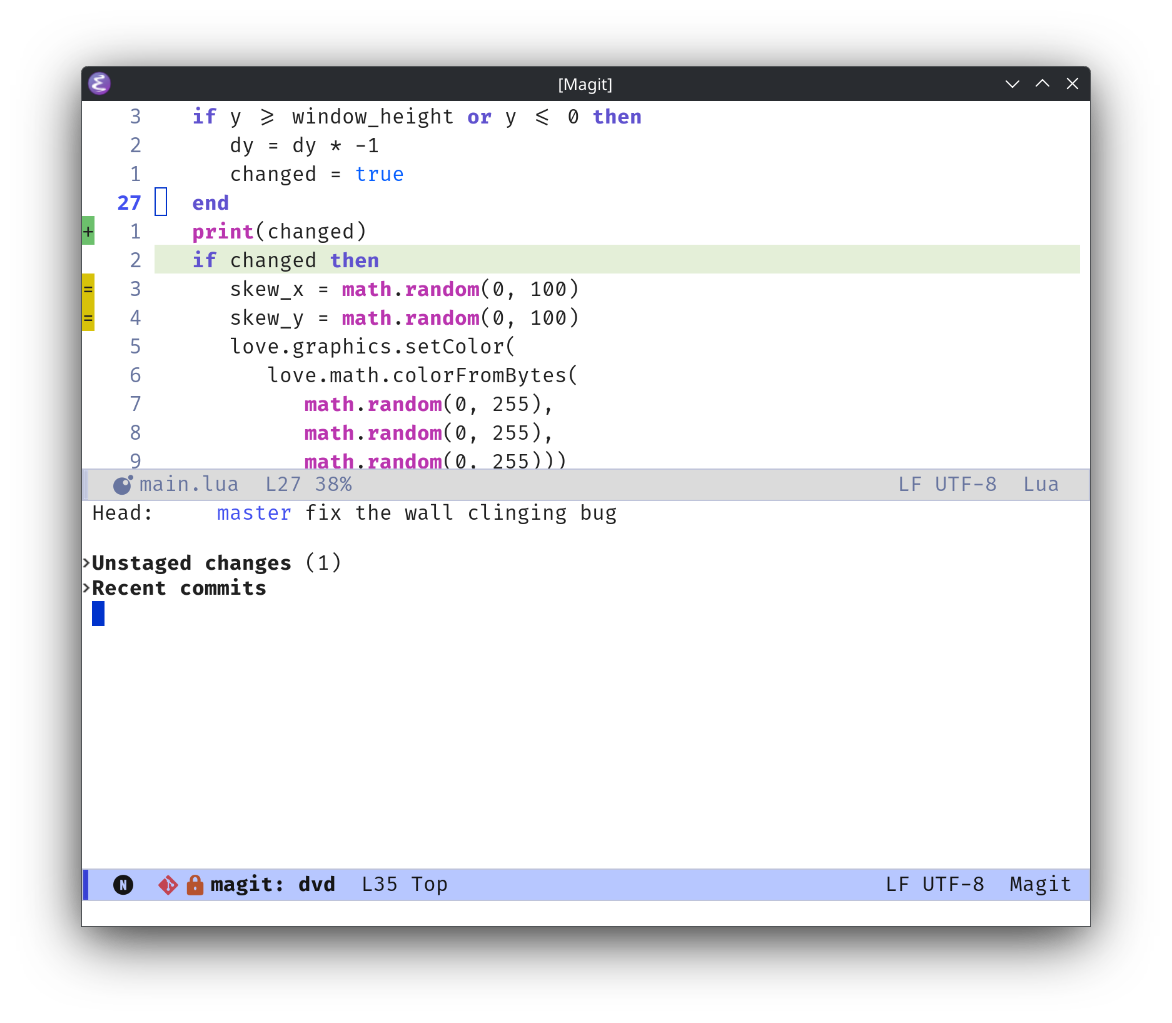
Here I can see the status of the staging area, which jj does away with, and some recent history, if I expand the two headers that are currently shown by placing my cursor on them and pressing tab:
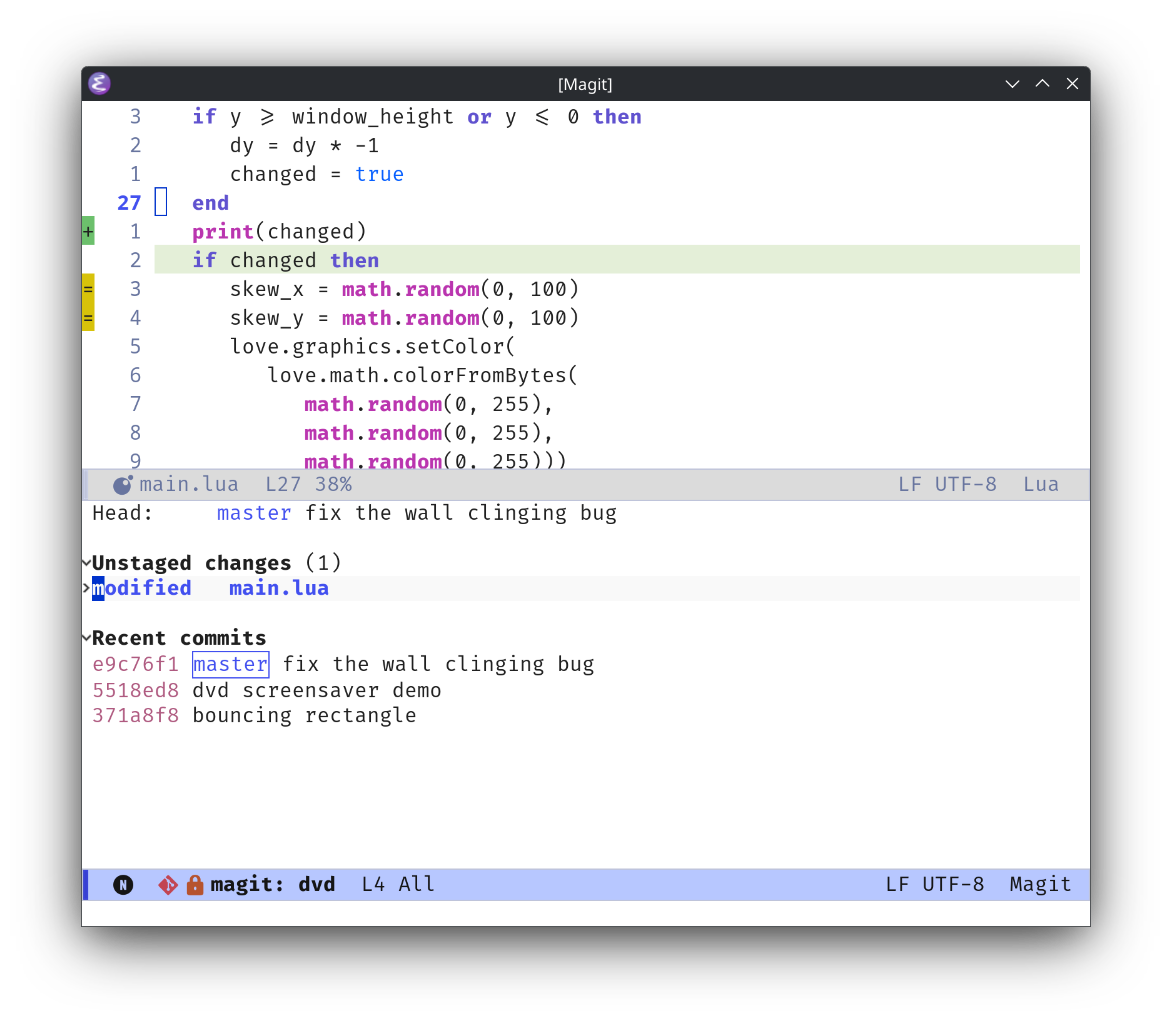
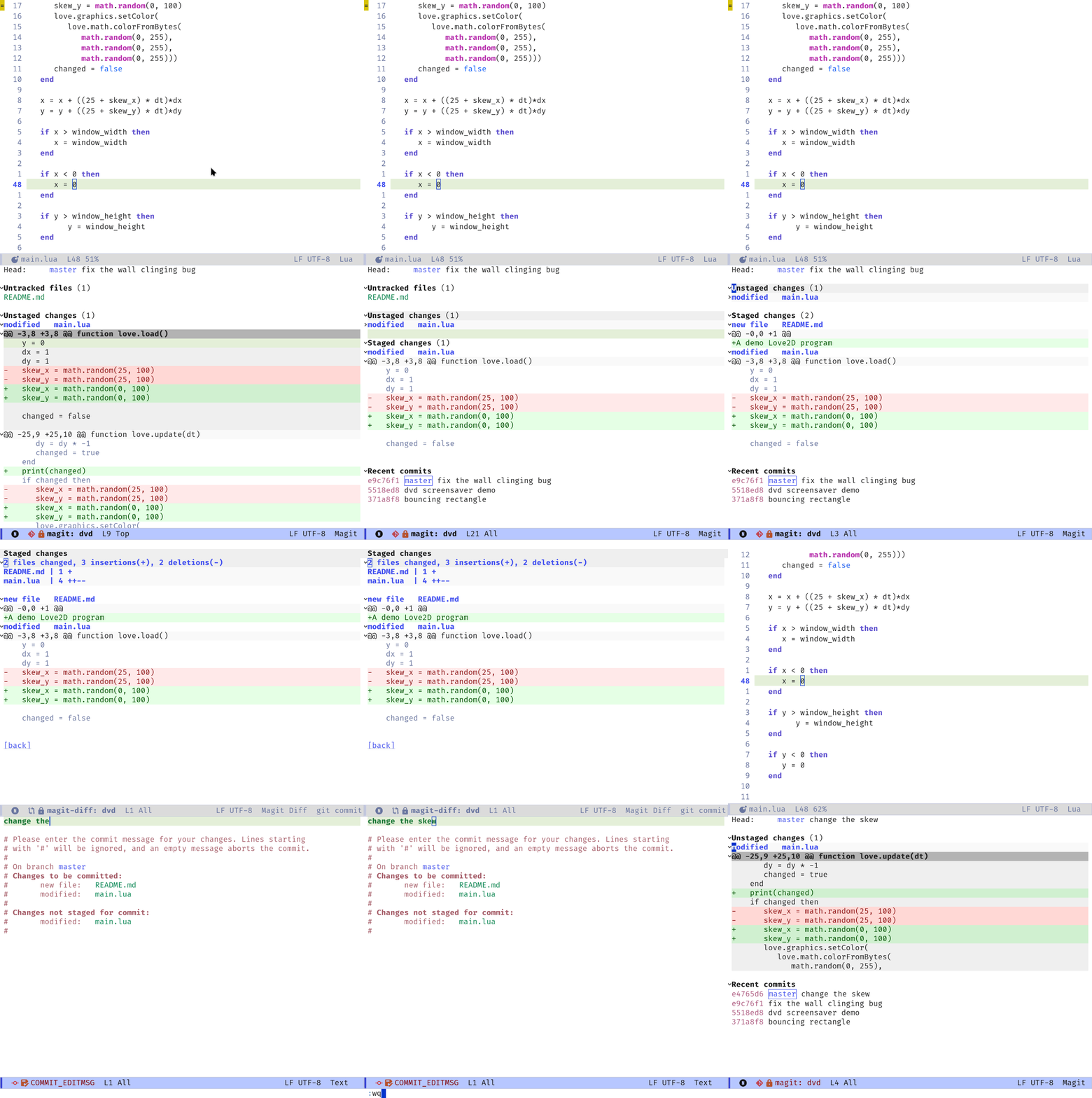
In the diff view, I can stage and unstage everything, or individual files all at once, or individual hunks, or part of hunks, interactively. This is something I couldn't figure out how to do with jj, which seems to take the philosophy of running git commit --amend --no-edit and git add -A after every change. When calling jj new, is there a way to move part of your changes to the new working copy? I didn't find one immediately, but this is a genuine question.
Regardless, I cannot give up the ability to commit some changes in a file and not others. With jj it seems like you have to delete the changes you do not wish to save, and then call jj new, or maybe some advanced use of jj's anonymous branches solves this problem?
Anyway, here I commit some of the changes in main.lua but not all of them:
Let's say I forgot to commit some changes that I meant to. Let me just amend the previous commit; it is only a few keystrokes (ca for commit and then amend), even if I do not wish to commit the whole file:
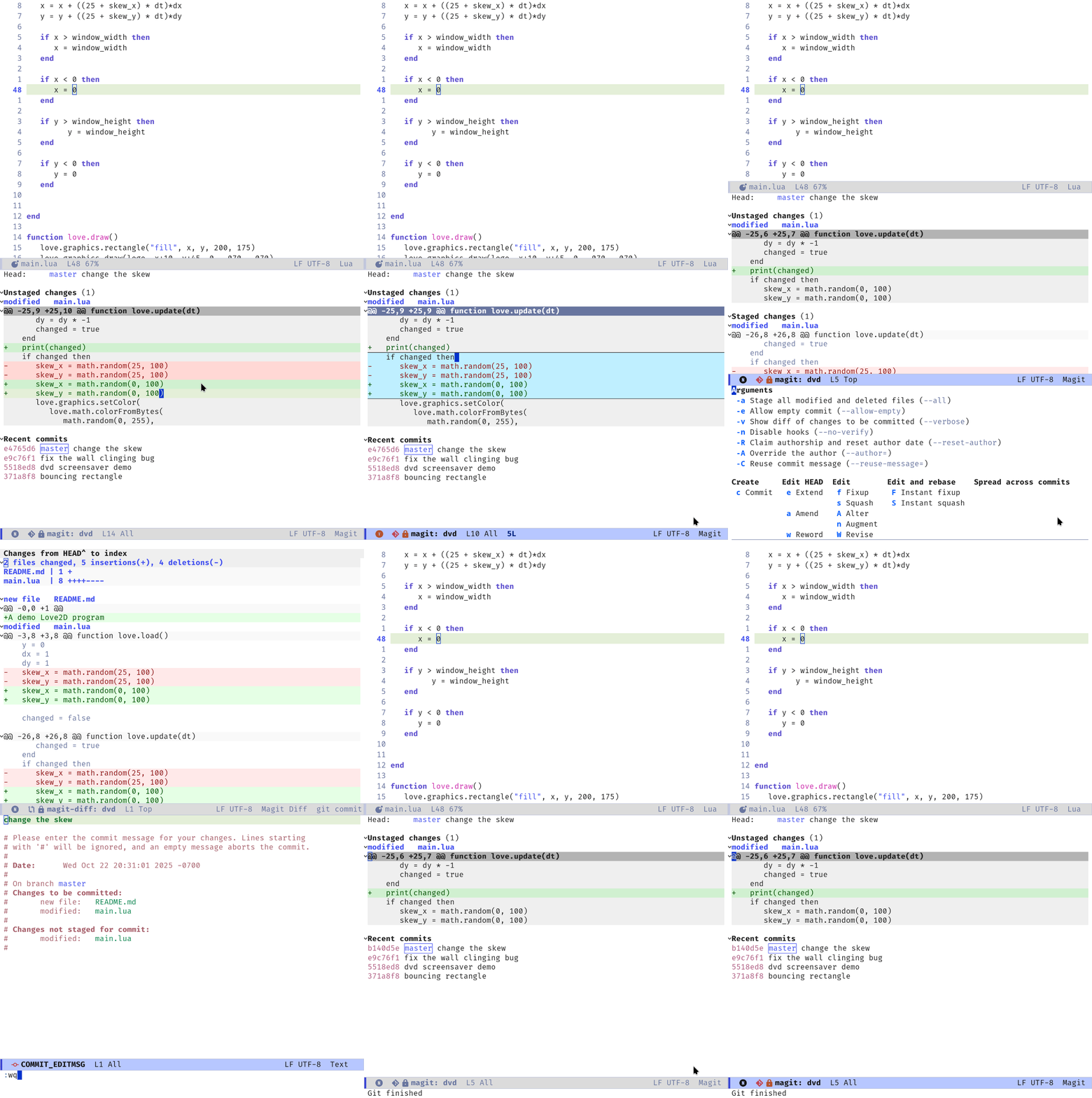
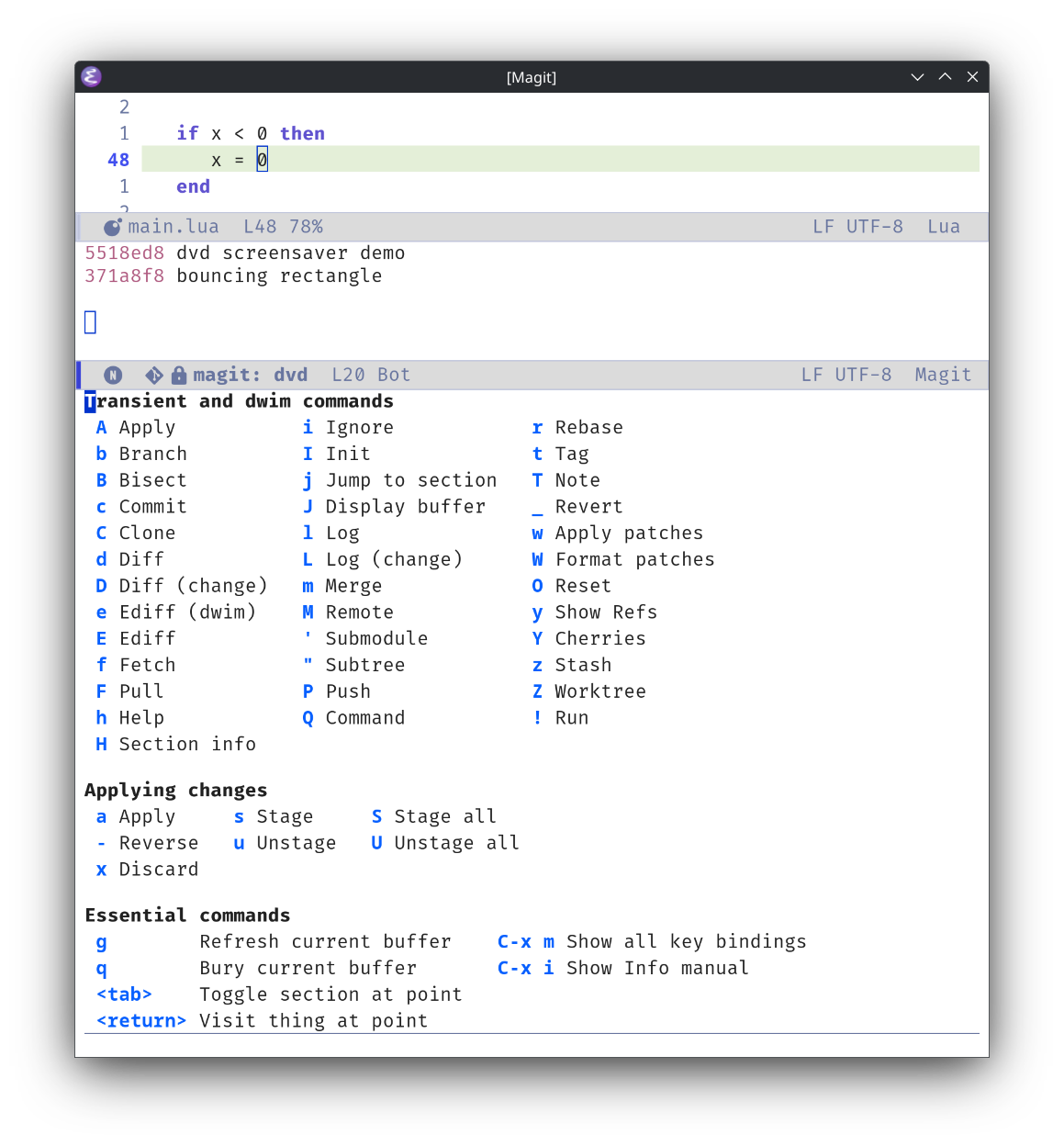
When beginning an action, Magit helpfully presents the rest of the available options and actions in the menu. All the power of git is displayed before me on a palette, but I only need to pause and study it if I am doing something unusual. Normally, I can press cc to commit or ca to make an amendment to a commit without looking at the intermediary menus, because I have developed the muscle memory for those actions and can do them intuitively.
If ever I am not sure what the actions are available, ? on the status page shows the commands:
If I'm not sure what's happened, I can look at the log that Magit produces (by pressing ` or switching to the buffer in the buffer list):
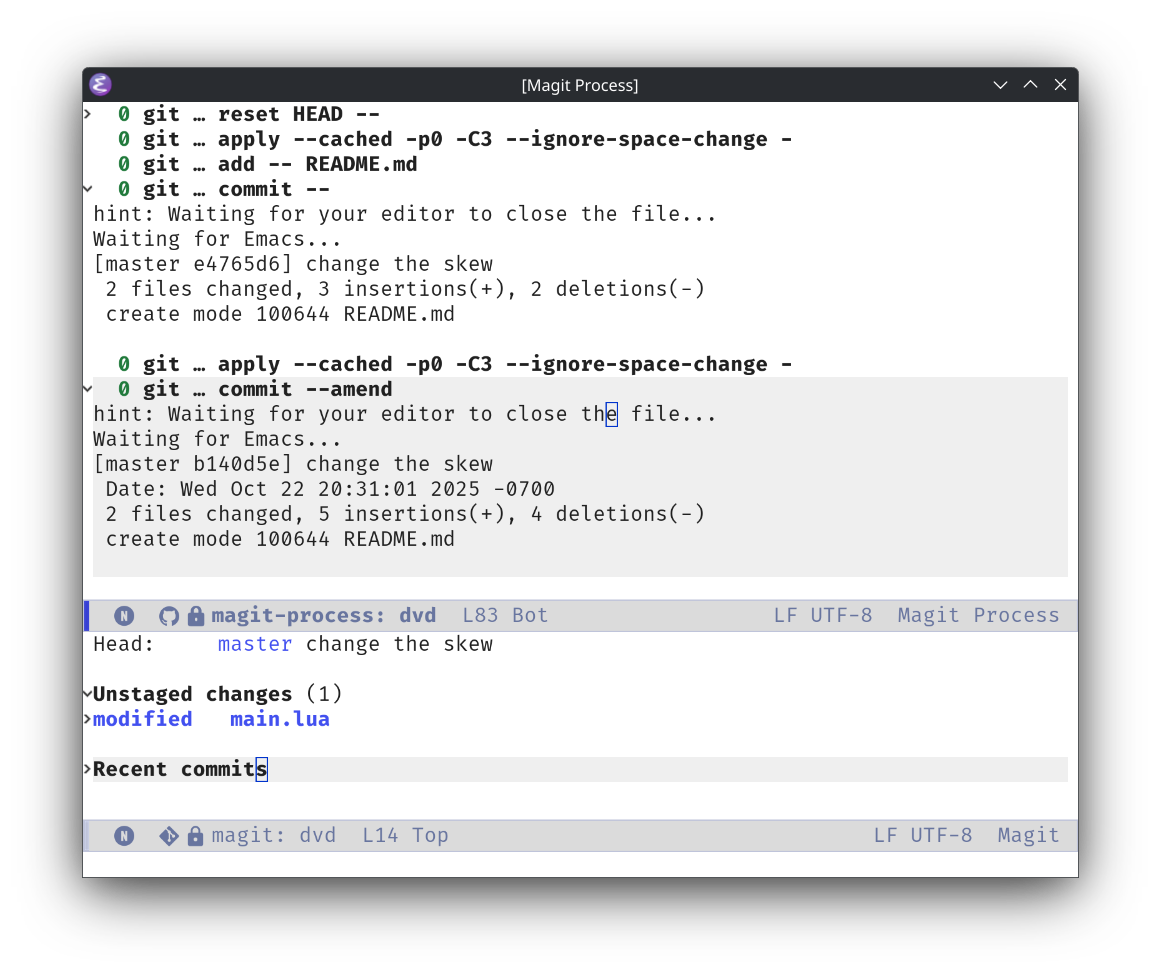
This is especially helpful when discovering new git functionality while using Magit, which is a somewhat common occurrence. If ever I need to use the command line, it is nice to be able to look at what Magit does, and then replicate it. This is such a lovely bonus from using Magit, as it makes my git skills stronger, rather than allowing them to atrophy by using a GUI.
This is just a quick demo, and it just barely scratches the surface of what is possible with Magit. Emacs Rocks! has more demos that are getting a little old but are still relevant and excellent as ever.
The full power of git is made accessible and ergonomic through Magit, and it is tragic that something this incredible is only available inside of Emacs (with the steep learning curve that it has), and I hope that other software steals ideas from it shamelessly. lazygit is a project that looks promising for non-Emacs users who are jealous of Magit, but part of the magic of Magit is the deep integration with Emacs.
jj seems like a really exciting development in the VCS space and I'm looking forward to its maturation, and hopefully it will get a porcelain as lovely as Magit someday. For the time being, though, a lot of the advertised benefit of jj can be attained through Magit and while we're in a stage of development where most of us are interacting with git repositories anyway it seems like giving up too much to start using it today.
In the meantime maybe someone can let me know how to use jj with hunks instead of whole files. What's the git add -p of jj new? How do I save some of my changes when creating a new commit, and move the rest to the working copy? I hope these questions have answers. If they do, I'll discover them another day.
Footnotes
because it's a LÖVE clone of the screensaver on the DVD player in that one scene on The Office